
Contents
Using Strava for Training: Beyond the Kudos
Strava is more than a social network. Learn how to use Strava's training features, route planning, and analytics to actually improve your running.

Quick Hits
- •Strava's training log provides weekly summaries and year-over-year comparisons
- •Relative Effort (Premium) helps track training load over time
- •Heatmaps show popular running routes in any location
- •Segment analysis reveals fitness changes at specific locations
- •Free version is sufficient for most recreational runners
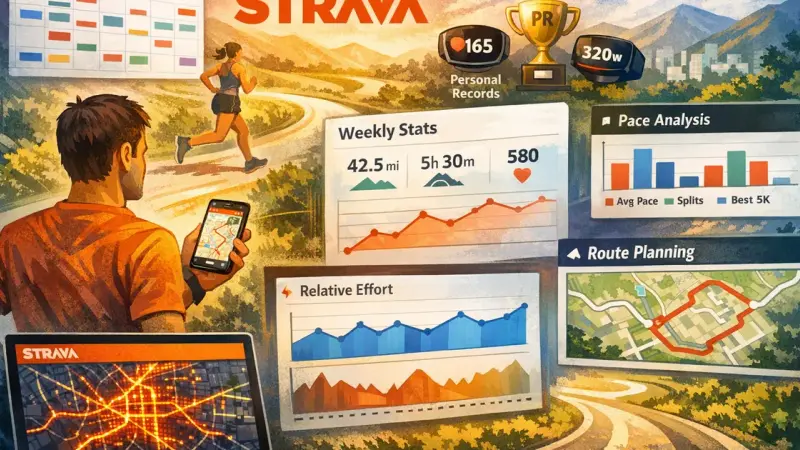
Strava's famous for segments and kudos. But there's more to it for training-focused runners.
Training Log Features
Activity Dashboard
What you can see:
- All runs with maps, splits, and effort data
- Weekly and monthly volume summaries
- Year-over-year comparisons
- Personal records at any distance
How to use it:
- Review weekly volume against your plan
- Spot trends over months
- Identify when you've been consistent vs. inconsistent
Relative Effort (Premium)
What it is: A training load score based on heart rate data
How it helps:
- Compares effort across different runs
- Shows weekly training load trends
- Identifies when you're building vs. recovering
Limitation: Less sophisticated than TrainingPeaks TSS, but easier to use
Training Log View
Weekly overview shows:
- Total time and distance
- Activity count
- Relative Effort total
- Comparison to previous weeks
Monthly and yearly views:
- Long-term volume patterns
- Seasonal trends
- Year-over-year progress
Analytics Tools
Pace Analysis
Per-run analysis shows:
- Average pace
- Best efforts at various distances
- Split breakdowns
- Grade-adjusted pace (helpful for hills)
Heart Rate Zones
If you have HR data:
- Time in each zone
- Average and max HR
- Zone distribution over time
Power Analysis
For runners with power meters:
- Average and normalized power
- Power zones
- Running efficiency metrics
Route Planning
Strava Heatmap
One of Strava's best features:
- See where runners run in any location
- Discover popular routes
- Find safe running paths in new cities
How to access: Routes → Explore → View Heatmap
Route Builder
Create routes by:
- Drawing on a map
- Following popular segments
- Using suggested routes
Features:
- Distance calculation
- Elevation profile
- Surface type estimates
- Export to GPS device
Saved Routes
Benefits:
- Access your favorite routes anywhere
- Share routes with friends
- Track which routes you've completed
Segments
Using Segments for Training
Segments as benchmarks:
- Track fitness changes over time
- See effort comparisons across attempts
- Natural interval or tempo markers
Creating useful segments:
- Mark hills you regularly train on
- Create segments for tempo portions of routes
- Track seasonal changes at same segment
Segment Warnings
Don't let segments ruin training:
- Skip segment hunting on easy days
- Ignore segments when they'd compromise workout goals
- Use segments intentionally, not compulsively
Social Features for Motivation
Following and Feed
Use it for:
- Accountability (others see your consistency)
- Inspiration (see what training partners do)
- Community connection
Avoid:
- Comparison that leads to overtraining
- Feeling pressure to post every run
- Judging yourself by others' numbers
Clubs
Join clubs for:
- Local running community
- Virtual group challenges
- Training partner finding
Challenges
Monthly and featured challenges:
- External motivation
- Fun goals beyond PRs
- Community participation
Free vs. Premium
What's Free
- Activity logging
- Basic analytics
- Segments and leaderboards
- Social features (feed, clubs, kudos)
- Basic route planning
- Monthly challenges
Premium Adds ($80/year)
- Relative Effort and fitness tracking
- Advanced route planning
- Segment analysis and local legends
- Beacon safety feature
- Training plans (limited)
- Goals and progress tracking
Who Should Upgrade
Premium makes sense if:
- You want training load tracking
- You use route planning frequently
- You care about segment analysis
- You want Beacon for safety
Free is fine if:
- You mainly use it for social
- Your watch provides training metrics
- You don't use advanced features
Making Strava Work for Training
Best Practices
- Connect your devices: Auto-sync from watch for seamless logging
- Use descriptions: Note workout type, how you felt, conditions
- Check weekly summaries: Quick review of volume and trends
- Leverage heatmaps: For route discovery and travel running
- Ignore social pressure: Run your training, not others'
Integration Strategy
Most effective approach:
- Watch app (Garmin, Coros, etc.) for detailed training data
- Strava for social and route discovery
- Sync between them automatically
Strava is one piece of your training toolkit. Sync your data to your dashboard for personalized insights, and use our Pace Zone Calculator to set proper training zones.
Key Takeaway
Strava excels at motivation through community and provides useful training insights through its analytics. Use it alongside your watch's platform for the best combination of social features and detailed data.
Frequently Asked Questions
Is Strava Premium worth it for training?
How accurate is Strava's fitness tracking?
Can I do structured workouts on Strava?
References
- Strava feature documentation
- Runner best practices