
Contents
Running Apps Compared: Strava, Garmin, Nike Run Club, and More
Which running app is right for you? Compare the top running apps—their features, strengths, and who they're best for.

Quick Hits
- •Strava dominates for social features and segments/competition
- •Garmin Connect is best for those with Garmin devices—deep data integration
- •Nike Run Club offers great guided runs and beginner-friendly experience
- •Most runners use multiple apps—syncing between platforms is common
- •Free versions of most apps are sufficient for recreational runners
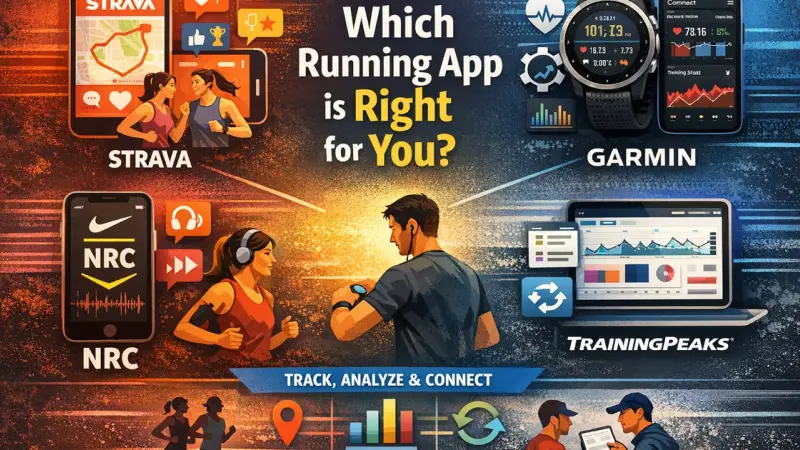
Which running app should you use? The answer: probably more than one.
Here's how the major apps compare.
The Major Players
Strava
What it does:
- Activity tracking and logging
- Social network for athletes
- Segments (compete on specific sections)
- Routes and exploration
- Training log and analysis
Best for:
- Social running community
- Segment competition
- Kudos and motivation
- Route discovery
Limitations:
- Premium features behind paywall
- Less deep training analysis than specialized apps
- No guided workouts
Cost: Free basic; $80/year for Premium
Garmin Connect
What it does:
- Syncs all Garmin device data
- Detailed physiological metrics
- Training load and recovery tracking
- Garmin Coach training plans
- Connect IQ integrations
Best for:
- Garmin device owners (required companion)
- Deep data analysis
- Structured training features
- Long-term trend tracking
Limitations:
- Requires Garmin device for full value
- Less social than Strava
- UI can be complex
Cost: Free with device
Nike Run Club
What it does:
- GPS tracking
- Guided runs with audio coaching
- Training plans (distance-based)
- Achievement badges
- Social features
Best for:
- Beginners
- Those wanting guided audio runs
- Casual runners
- Simple interface preference
Limitations:
- Less detailed data than others
- Weaker advanced features
- Limited device integrations
Cost: Free
Coros / Polar / Suunto Apps
What they do:
- Companion apps for respective devices
- Device-specific features and data
- Training analysis
- Sync with third parties
Best for:
- Owners of respective devices
- Deep integration with hardware
Note: Most sync to Strava, so users typically use both.
TrainingPeaks
What it does:
- Advanced training analysis
- Coach-athlete platform
- Structured workout library
- Periodization and planning
- TSS/CTL/ATL metrics
Best for:
- Serious athletes with structured plans
- Those working with coaches
- Triathletes and multi-sport athletes
- Data-driven training optimization
Limitations:
- Steeper learning curve
- Subscription costs
- May be overkill for casual runners
Cost: Free basic; $120/year for Premium; $240/year for Premium + ATP
Feature Comparison
Tracking & GPS
| App | Phone GPS | Watch Sync | Accuracy |
|---|---|---|---|
| Strava | Yes | Many devices | Good |
| Garmin | Limited | Garmin only | Excellent |
| Nike Run Club | Yes | Apple Watch | Good |
| TrainingPeaks | Via sync | Many devices | Excellent |
Social Features
| App | Feed/Activity | Segments | Clubs | Challenges |
|---|---|---|---|---|
| Strava | Excellent | Yes | Yes | Yes |
| Garmin | Basic | No | Yes | Yes |
| Nike Run Club | Moderate | No | No | Yes |
| TrainingPeaks | Limited | No | No | No |
Training Analysis
| App | Training Load | Recovery | Detailed Metrics |
|---|---|---|---|
| Strava | Premium only | Basic | Moderate |
| Garmin | Yes | Yes | Excellent |
| Nike Run Club | No | No | Basic |
| TrainingPeaks | Yes | Yes | Excellent |
Guided Training
| App | Audio Coaching | Training Plans | Structured Workouts |
|---|---|---|---|
| Strava | No | Limited | Limited |
| Garmin | Yes (Coach) | Yes | Yes |
| Nike Run Club | Yes (excellent) | Yes | Moderate |
| TrainingPeaks | Via integrations | Excellent | Excellent |
Typical Setups
The Casual Runner
Primary: Nike Run Club or Strava free Use case: Track runs, occasional social sharing
The Social Runner
Primary: Strava Secondary: Device companion app (Garmin, etc.) Use case: Community, segments, kudos culture
The Serious Amateur
Primary: Device app + Strava Secondary: TrainingPeaks for planning Use case: Data analysis + social + training structure
The Coached Athlete
Primary: TrainingPeaks Secondary: Device app → Strava Use case: Coach-prescribed workouts, detailed analysis
Integration & Syncing
How It Works
Most apps sync with each other:
- Watch → Manufacturer app (automatic)
- Manufacturer app → Strava (one-time setup)
- Other apps connect via OAuth
Common Sync Chains
Garmin user: Garmin device → Garmin Connect → Strava (automatic)
Apple Watch user: Apple Watch → Apple Health → Strava (or direct NRC)
Coros user: Coros device → Coros app → Strava
Third-Party Tools
Tapiriik, RunGap: Sync data between platforms that don't directly connect.
Recommendations
For Beginners
Start with: Nike Run Club or Strava free
- Simple interface
- Guided runs (NRC)
- Community (Strava)
- Free
For Data Lovers
Use: Garmin Connect (with Garmin device) + Strava
- Deep metrics from Garmin
- Social/segments from Strava
- Best of both worlds
For Competitive Runners
Use: Strava Premium + device app
- Segment competition
- Training load tracking
- Route planning
- Community motivation
For Serious Training
Use: TrainingPeaks + device app + Strava
- Structured training
- Detailed analysis
- Social connection
- Complete ecosystem
The Bottom Line
There's no single best app. Most runners eventually use multiple apps:
- One for device data (Garmin, Coros, Polar)
- One for social (Strava)
- One for training structure (if needed)
Find the combination that matches your priorities and enjoy the running.
Sync your data to your dashboard for personalized training insights.
Key Takeaway
Choose running apps based on your priorities: social (Strava), device integration (Garmin/Coros/Polar), beginner guidance (Nike Run Club), or serious training (TrainingPeaks). Most runners use multiple apps that sync together, getting the best of each platform.
Frequently Asked Questions
What's the best running app overall?
Is Strava Premium worth it?
Can I use multiple running apps?
Which app is best for training plans?
Do I need a GPS watch, or can I use my phone?
References
- App features
- User experiences
- Platform comparisons