
Contents
Strava Tips for Runners: Getting the Most From the App
Maximize Strava for your running. From segments to training analysis, here's how to use Strava effectively without getting lost in the data.

Quick Hits
- •Strava is more than tracking—it's a training log, community, and analysis tool
- •Segments can be motivating but also lead to pushing too hard on easy days
- •The Relative Effort feature helps track training load over time
- •Route planning and Heatmaps show where other runners go—great for new routes
- •Privacy settings are important—control who sees your runs and locations
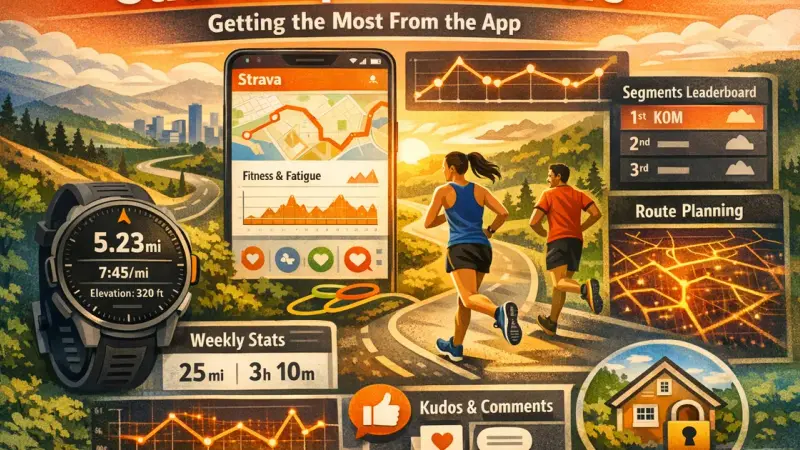
Strava has become the default running app for millions. But many runners barely scratch the surface of what it offers.
Here's how to get more from it—without getting obsessed.
The Essential Features
Activity Tracking
Basic but important:
- Syncs from your GPS watch automatically
- Records distance, pace, elevation, time
- Creates a log of all your activities
Best practice: Let your watch do the tracking, let Strava do the storage.
Training Log
Why it matters:
- All your runs in one place
- Weekly/monthly/yearly summaries
- Long-term trend visibility
How to use: Review weekly totals. Track consistency over months.
Relative Effort (Paid Feature)
What it does:
- Measures training load based on heart rate
- Shows weekly load trends
- Helps prevent overtraining
How to use: Track your weekly "Fitness & Freshness" trends. Look for gradual building, not sudden spikes.
Segments
What they are:
- User-created portions of road or trail
- Everyone's times are ranked
- Local and global leaderboards
Strategic use:
- Go for segments on hard days
- Ignore during easy runs
- Use for motivation in workouts
Routes
Heatmap:
- Shows where runners go
- Great for finding popular paths
- Useful in new cities
Route Builder:
- Create your own routes
- Specify distance
- Sync to GPS watch
Training Status (Paid)
What it shows:
- Fitness, fatigue, and form trends
- Recent training load impact
- Predicted race performance
Use with caution: It's an estimate. Use as one input, not gospel.
Social Features
Following and Followers
The community aspect:
- See friends' activities
- Give and receive kudos
- Share achievements
Best practice: Follow runners who inspire you. Avoid comparison spiral.
Groups/Clubs
Join clubs:
- Local running clubs
- Virtual groups
- Challenge communities
Benefits: Leaderboards, shared activities, community motivation.
Kudos and Comments
Simple but powerful:
- Quick acknowledgment of runs
- Builds connection
- Motivating to receive
Tip: Give generously. It costs nothing and means something.
Training Analysis
Analyzing Your Data
What to look at:
- Weekly mileage trends
- Average pace trends
- Training load (Relative Effort)
- Heart rate patterns
What NOT to obsess over:
- Single-run variations
- Exact pace of easy runs
- Comparison to others' data
Using the Fitness & Freshness Graph (Paid)
What it shows:
- Fitness (training load accumulated over time)
- Fatigue (recent training load)
- Form (fitness minus fatigue)
How to use:
- Watch for overtraining (fatigue consistently high)
- Peak for races (reduce fatigue, maintain fitness)
- Track long-term fitness trends
Post-Run Analysis
After key workouts:
- Check splits
- Review elevation impact
- Note heart rate patterns
After easy runs:
- Don't overanalyze
- Glance at data if curious
- Move on
Common Strava Mistakes
1. Chasing Segments on Easy Days
The problem: Seeing a segment triggers competitive instinct.
The cost: Easy runs become hard. Recovery suffers.
The fix: Turn off live segment notifications on easy days. Or use a different app for recovery runs.
2. Comparing to Everyone
The problem: Someone is always faster.
The cost: Demoralization, never feeling good enough.
The fix: Compare to YOUR past self, not others. Filter feed if needed.
3. Running for Strava
The problem: Runs only count if recorded.
Signs:
- Won't run if watch is dead
- Add distance to hit round numbers
- Disappointed if GPS glitched
The fix: Remember the run matters, not the recording. Run watch-free occasionally.
4. Ignoring Privacy
The problem: Sharing too much location data.
Risks:
- People know your schedule
- Home location visible
- Route patterns predictable
The fix: Use privacy zones around home. Limit who sees activities.
5. Over-Analyzing Every Run
The problem: Spending more time analyzing than running.
The cost: Stress about data, missing the joy.
The fix: Set boundaries. Review weekly, not daily.
Privacy Settings
What to Consider
Privacy Zone:
- Hide your home location
- Set radius large enough to mask your address
Activity Visibility:
- Who can see your runs? (Everyone, Followers, Only You)
- Consider limiting to Followers
Location Services:
- Need for GPS tracking
- Can affect battery
How to Set Up
In Settings:
- Privacy Controls → Set activity defaults
- Privacy Zone → Add around home/work
- Visibility → Choose who sees your activities
Per-Activity:
- Can override defaults for individual activities
When to Limit Sharing
Consider keeping private:
- Very early/late runs when alone
- Runs with predictable patterns
- Activities with sensitive locations
Beyond Strava
When Strava Is Enough
For most runners:
- Tracking runs
- Community connection
- Basic analysis
Strava does this well.
When You Need More
TrainingPeaks: Advanced planning and periodization.
Garmin Connect: Deeper device-specific data.
Runalyze: Free detailed analysis.
Custom tools: For specific analytics needs.
Integration
Strava connects with:
- GPS watches (Garmin, Polar, Coros, etc.)
- Other apps (Runkeeper, Nike Run Club)
- Third-party analysis tools
Set and forget: Once connected, data flows automatically.
Strava is a powerful tool when used well. Track your runs, connect with community, analyze trends over time. But maintain boundaries—running shouldn't become a performance for social media. Use the app to enhance your running, not define it.
Connect Strava to your dashboard for deeper training insights.
Key Takeaway
Strava is a powerful tool for tracking, analyzing, and socializing your running. Use segments strategically (not on easy days), explore routes through Heatmaps, and leverage training load tracking. But set boundaries—the app should enhance running, not create anxiety. Adjust privacy settings for your comfort level.
Frequently Asked Questions
What's the difference between Strava free and paid?
Should I chase Strava segments?
How do I find good running routes?
Is Strava accurate for distance and pace?
How do I use Strava without getting obsessed with data?
References
- Strava usage
- User experience
- App features